Busy arrivals create pressure at the main entrance.
THE RESPONSEAlign visitor approval, door operation and staff visibility.
THE PRACTICAL VALUESchools can welcome legitimate visitors while keeping a defined entry process.

School security must support everyday arrivals and a practiced response when conditions change.
Greater Denver and the Front Range
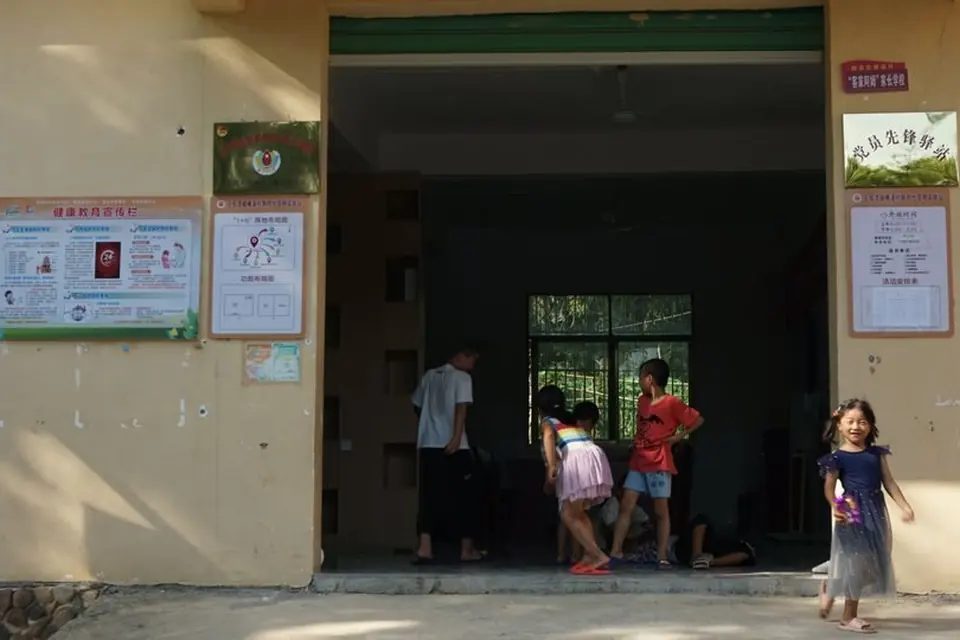
System scope follows the facility’s operating needs and assessment.
System choices should start with the occupants, access patterns, daily operations and the team responsible for responding to an alert. The scope then connects those requirements to practical equipment, documentation and service.
These examples are design opportunities to validate with each facility, not promised results from a specific project.
Align visitor approval, door operation and staff visibility.
THE PRACTICAL VALUESchools can welcome legitimate visitors while keeping a defined entry process.
Pair prioritized doors with relevant views and trained recipients.
THE PRACTICAL VALUEAdministrators can assess an event more quickly and follow the school’s response plan.
Plan notification zones and authorized senders with school leadership.
THE PRACTICAL VALUEMessages have clearer ownership and a better chance of reaching the intended audience.
The right mix depends on the site assessment and its existing systems.
COLORADO APPLICATION SCENARIOS
These are modeled planning scenarios written in retrospective form to show how a complex project could have been approached and accepted. They are not completed 1st Key customer projects or measured outcomes. The cities, building sizes and results are hypothetical; actual scope and performance depend on the facility.
In this modeled Longmont scenario, a 65,000-square-foot k–12 education facility had reached a decision point: the design team had to settle device locations, power, pathways and system ownership before finishes closed. Students, staff, visitors and after-hours groups used the campus on different schedules. The owner had to keep ordinary operations moving while determining which portions of the installed environment were trustworthy. A change after close-in would have affected other trades, schedule and cost, so the acceptance method had to be agreed before procurement.
The operational problem was specific: visitors enter before office staff can confirm their destination. District policy, occupied learning spaces and emergency procedures constrained every change. Staff could not reliably tell whether a missed event came from a field device, a network path, an outdated rule or an incomplete handoff. The owner also lacked a single acceptance record that connected the symptom to a test, the person responsible and a closeout decision.
The modeled goal was to review main-entry visitor screening and host authorization without creating a second, disconnected operating burden. The proposed 1st Key team had mapped users, hours, legacy equipment and dependencies with property, security and IT contacts. The opening-level review covered the credential rule, door hardware, power, egress, held or forced events and what an operator would see when a test failed. The design had staged an owner-approved work window, a test plan for normal and failure conditions, and a named person to resolve exceptions before the next phase.
In the modeled result, more consistent front-office decisions and fewer unverified alerts. The acceptance test had been defined around this observable result: a scripted visitor arrival demonstrates the district-approved verification, authorization and entry sequence. The closeout package would have included the district-approved scripts, location labels and witnessed operator exercise, a list of unresolved conditions with owners and dates, and training for the person who would administer or respond to the system. This described impact is a planning illustration, not a measured result from a completed 1st Key customer project.
In this modeled Loveland scenario, a 180,000-square-foot k–12 education facility had reached a decision point: the occupied building had legacy hardware, incomplete records and users who could not simply be shut out during the migration. Students, staff, visitors and after-hours groups used the campus on different schedules. The owner had to keep ordinary operations moving while determining which portions of the installed environment were trustworthy. The team needed a baseline, phased work windows and an explicit rollback point before any cutover.
The operational problem was specific: staff assignments change but building permissions do not follow consistently. District policy, occupied learning spaces and emergency procedures constrained every change. Staff could not reliably tell whether a missed event came from a field device, a network path, an outdated rule or an incomplete handoff. The owner also lacked a single acceptance record that connected the symptom to a test, the person responsible and a closeout decision.
The modeled goal was to apply staff credentials to the correct buildings and schedules without creating a second, disconnected operating burden. The proposed 1st Key team had mapped users, hours, legacy equipment and dependencies with property, security and IT contacts. The opening-level review covered the credential rule, door hardware, power, egress, held or forced events and what an operator would see when a test failed. The design had staged an owner-approved work window, a test plan for normal and failure conditions, and a named person to resolve exceptions before the next phase.
In the modeled result, more consistent front-office decisions and fewer unverified alerts. The acceptance test had been defined around this observable result: representative staff profiles work at assigned buildings and schedules and are denied outside those rights. The closeout package would have included the district-approved scripts, location labels and witnessed operator exercise, a list of unresolved conditions with owners and dates, and training for the person who would administer or respond to the system. This described impact is a planning illustration, not a measured result from a completed 1st Key customer project.
In this modeled Broomfield scenario, a 125,000-square-foot k–12 education facility had reached a decision point: the owner had an installed system that still served part of the property, but the new area changed capacity, licensing or administration. Students, staff, visitors and after-hours groups used the campus on different schedules. The owner had to keep ordinary operations moving while determining which portions of the installed environment were trustworthy. A successful addition depended on checking compatibility and avoiding a new isolated workflow.
The operational problem was specific: a forced-door alert identifies a door but offers little context to school staff. District policy, occupied learning spaces and emergency procedures constrained every change. Staff could not reliably tell whether a missed event came from a field device, a network path, an outdated rule or an incomplete handoff. The owner also lacked a single acceptance record that connected the symptom to a test, the person responsible and a closeout decision.
The modeled goal was to pair a forced exterior door event with the nearest usable camera without creating a second, disconnected operating burden. The proposed 1st Key team had mapped users, hours, legacy equipment and dependencies with property, security and IT contacts. The opening-level review covered the credential rule, door hardware, power, egress, held or forced events and what an operator would see when a test failed. The design had staged an owner-approved work window, a test plan for normal and failure conditions, and a named person to resolve exceptions before the next phase.
In the modeled result, more consistent front-office decisions and fewer unverified alerts. The acceptance test had been defined around this observable result: a controlled test associates the door with a useful camera view and the agreed staff action. The closeout package would have included the district-approved scripts, location labels and witnessed operator exercise, a list of unresolved conditions with owners and dates, and training for the person who would administer or respond to the system. This described impact is a planning illustration, not a measured result from a completed 1st Key customer project.
In this modeled Commerce City scenario, a 42,000-square-foot k–12 education facility had reached a decision point: the owner had to separate recoverable assets from undocumented settings, unsupported products and access held by the previous provider. Students, staff, visitors and after-hours groups used the campus on different schedules. The owner had to keep ordinary operations moving while determining which portions of the installed environment were trustworthy. A takeover would have required administrator transfer, a tested baseline and a clear list of inherited deficiencies.
The operational problem was specific: front-office staff have no discreet, clearly located assistance request. District policy, occupied learning spaces and emergency procedures constrained every change. Staff could not reliably tell whether a missed event came from a field device, a network path, an outdated rule or an incomplete handoff. The owner also lacked a single acceptance record that connected the symptom to a test, the person responsible and a closeout decision.
The modeled goal was to set a monitored duress path for a front office without creating a second, disconnected operating burden. The proposed 1st Key team had mapped users, hours, legacy equipment and dependencies with property, security and IT contacts. The event review checked device location, signal path, backup condition, recipient, acknowledgment and the action expected after a real alarm. The design had staged an owner-approved work window, a test plan for normal and failure conditions, and a named person to resolve exceptions before the next phase.
In the modeled result, more consistent front-office decisions and fewer unverified alerts. The acceptance test had been defined around this observable result: an authorized exercise verifies the duress location and the district-approved response chain. The closeout package would have included the district-approved scripts, location labels and witnessed operator exercise, a list of unresolved conditions with owners and dates, and training for the person who would administer or respond to the system. This described impact is a planning illustration, not a measured result from a completed 1st Key customer project.
In this modeled Denver scenario, a 95,000-square-foot k–12 education facility had reached a decision point: the design team had to settle device locations, power, pathways and system ownership before finishes closed. Students, staff, visitors and after-hours groups used the campus on different schedules. The owner had to keep ordinary operations moving while determining which portions of the installed environment were trustworthy. A change after close-in would have affected other trades, schedule and cost, so the acceptance method had to be agreed before procurement.
The operational problem was specific: hallway cameras miss decision points or include areas outside the intended scope. District policy, occupied learning spaces and emergency procedures constrained every change. Staff could not reliably tell whether a missed event came from a field device, a network path, an outdated rule or an incomplete handoff. The owner also lacked a single acceptance record that connected the symptom to a test, the person responsible and a closeout decision.
The modeled goal was to check hallway camera placement and privacy boundaries without creating a second, disconnected operating burden. The proposed 1st Key team had mapped users, hours, legacy equipment and dependencies with property, security and IT contacts. The view review checked subject size, day and night lighting, clock alignment, storage and whether an authorized user could retrieve the needed recording. The design had staged an owner-approved work window, a test plan for normal and failure conditions, and a named person to resolve exceptions before the next phase.
In the modeled result, more consistent front-office decisions and fewer unverified alerts. The acceptance test had been defined around this observable result: a documented coverage walkthrough confirms agreed views and privacy exclusions. The closeout package would have included the district-approved scripts, location labels and witnessed operator exercise, a list of unresolved conditions with owners and dates, and training for the person who would administer or respond to the system. This described impact is a planning illustration, not a measured result from a completed 1st Key customer project.
In this modeled Aurora scenario, a 240,000-square-foot k–12 education facility had reached a decision point: the occupied building had legacy hardware, incomplete records and users who could not simply be shut out during the migration. Students, staff, visitors and after-hours groups used the campus on different schedules. The owner had to keep ordinary operations moving while determining which portions of the installed environment were trustworthy. The team needed a baseline, phased work windows and an explicit rollback point before any cutover.
The operational problem was specific: separate notification tools require several manual actions during a stressful event. District policy, occupied learning spaces and emergency procedures constrained every change. Staff could not reliably tell whether a missed event came from a field device, a network path, an outdated rule or an incomplete handoff. The owner also lacked a single acceptance record that connected the symptom to a test, the person responsible and a closeout decision.
The modeled goal was to coordinate a mass notification workflow with the district emergency plan without creating a second, disconnected operating burden. The proposed 1st Key team had mapped users, hours, legacy equipment and dependencies with property, security and IT contacts. The technical review checked power, network, location, operator permissions, failure behavior and who would support the resulting system. The design had staged an owner-approved work window, a test plan for normal and failure conditions, and a named person to resolve exceptions before the next phase.
In the modeled result, more consistent front-office decisions and fewer unverified alerts. The acceptance test had been defined around this observable result: a coordinated exercise demonstrates approved messages, authorized operators and fallback responsibilities. The closeout package would have included the district-approved scripts, location labels and witnessed operator exercise, a list of unresolved conditions with owners and dates, and training for the person who would administer or respond to the system. This described impact is a planning illustration, not a measured result from a completed 1st Key customer project.
In this modeled Colorado Springs scenario, a 160,000-square-foot k–12 education facility had reached a decision point: the owner had an installed system that still served part of the property, but the new area changed capacity, licensing or administration. Students, staff, visitors and after-hours groups used the campus on different schedules. The owner had to keep ordinary operations moving while determining which portions of the installed environment were trustworthy. A successful addition depended on checking compatibility and avoiding a new isolated workflow.
The operational problem was specific: announcements are clear in classrooms but difficult to understand in the gym or outdoors. District policy, occupied learning spaces and emergency procedures constrained every change. Staff could not reliably tell whether a missed event came from a field device, a network path, an outdated rule or an incomplete handoff. The owner also lacked a single acceptance record that connected the symptom to a test, the person responsible and a closeout decision.
The modeled goal was to provide clear paging to a gym, cafeteria and exterior play area without creating a second, disconnected operating burden. The proposed 1st Key team had mapped users, hours, legacy equipment and dependencies with property, security and IT contacts. The communications review checked zones, audibility or intelligibility, source priority, operator controls and recovery from an incorrect setting. The design had staged an owner-approved work window, a test plan for normal and failure conditions, and a named person to resolve exceptions before the next phase.
In the modeled result, more consistent front-office decisions and fewer unverified alerts. The acceptance test had been defined around this observable result: a location-by-location listening test records coverage and limitations for the agreed occupied areas. The closeout package would have included the district-approved scripts, location labels and witnessed operator exercise, a list of unresolved conditions with owners and dates, and training for the person who would administer or respond to the system. This described impact is a planning illustration, not a measured result from a completed 1st Key customer project.
In this modeled Fort Collins scenario, a 85,000-square-foot k–12 education facility had reached a decision point: the owner had to separate recoverable assets from undocumented settings, unsupported products and access held by the previous provider. Students, staff, visitors and after-hours groups used the campus on different schedules. The owner had to keep ordinary operations moving while determining which portions of the installed environment were trustworthy. A takeover would have required administrator transfer, a tested baseline and a clear list of inherited deficiencies.
The operational problem was specific: summer construction moves devices without updating labels and drawings. District policy, occupied learning spaces and emergency procedures constrained every change. Staff could not reliably tell whether a missed event came from a field device, a network path, an outdated rule or an incomplete handoff. The owner also lacked a single acceptance record that connected the symptom to a test, the person responsible and a closeout decision.
The modeled goal was to document access and video changes during summer construction without creating a second, disconnected operating burden. The proposed 1st Key team had mapped users, hours, legacy equipment and dependencies with property, security and IT contacts. The opening-level review covered the credential rule, door hardware, power, egress, held or forced events and what an operator would see when a test failed. The design had staged an owner-approved work window, a test plan for normal and failure conditions, and a named person to resolve exceptions before the next phase.
In the modeled result, more consistent front-office decisions and fewer unverified alerts. The acceptance test had been defined around this observable result: before reopening, the team reconciles device schedules, field labels and tests against the approved changes. The closeout package would have included the district-approved scripts, location labels and witnessed operator exercise, a list of unresolved conditions with owners and dates, and training for the person who would administer or respond to the system. This described impact is a planning illustration, not a measured result from a completed 1st Key customer project.
In this modeled Lakewood scenario, a 310,000-square-foot k–12 education facility had reached a decision point: the design team had to settle device locations, power, pathways and system ownership before finishes closed. Students, staff, visitors and after-hours groups used the campus on different schedules. The owner had to keep ordinary operations moving while determining which portions of the installed environment were trustworthy. A change after close-in would have affected other trades, schedule and cost, so the acceptance method had to be agreed before procurement.
The operational problem was specific: security-device issues stall between district IT and facilities ownership. District policy, occupied learning spaces and emergency procedures constrained every change. Staff could not reliably tell whether a missed event came from a field device, a network path, an outdated rule or an incomplete handoff. The owner also lacked a single acceptance record that connected the symptom to a test, the person responsible and a closeout decision.
The modeled goal was to separate school-network ownership from security-network responsibilities without creating a second, disconnected operating burden. The proposed 1st Key team had mapped users, hours, legacy equipment and dependencies with property, security and IT contacts. The infrastructure review checked route, labeling, power or PoE, media test results and ownership of the active network handoff. The design had staged an owner-approved work window, a test plan for normal and failure conditions, and a named person to resolve exceptions before the next phase.
In the modeled result, more consistent front-office decisions and fewer unverified alerts. The acceptance test had been defined around this observable result: a responsibility matrix and joint connection test establish addressing, switch ownership and escalation contacts. The closeout package would have included the district-approved scripts, location labels and witnessed operator exercise, a list of unresolved conditions with owners and dates, and training for the person who would administer or respond to the system. This described impact is a planning illustration, not a measured result from a completed 1st Key customer project.
In this modeled Thornton scenario, a 55,000-square-foot k–12 education facility had reached a decision point: the occupied building had legacy hardware, incomplete records and users who could not simply be shut out during the migration. Students, staff, visitors and after-hours groups used the campus on different schedules. The owner had to keep ordinary operations moving while determining which portions of the installed environment were trustworthy. The team needed a baseline, phased work windows and an explicit rollback point before any cutover.
The operational problem was specific: substitute administrators are unfamiliar with alarm screens and escalation rules. District policy, occupied learning spaces and emergency procedures constrained every change. Staff could not reliably tell whether a missed event came from a field device, a network path, an outdated rule or an incomplete handoff. The owner also lacked a single acceptance record that connected the symptom to a test, the person responsible and a closeout decision.
The modeled goal was to train substitute administrators on approved operator actions and escalation without creating a second, disconnected operating burden. The proposed 1st Key team had mapped users, hours, legacy equipment and dependencies with property, security and IT contacts. The technical review checked power, network, location, operator permissions, failure behavior and who would support the resulting system. The design had staged an owner-approved work window, a test plan for normal and failure conditions, and a named person to resolve exceptions before the next phase.
In the modeled result, more consistent front-office decisions and fewer unverified alerts. The acceptance test had been defined around this observable result: a practice scenario confirms they can identify the event and follow the approved instructions. The closeout package would have included the district-approved scripts, location labels and witnessed operator exercise, a list of unresolved conditions with owners and dates, and training for the person who would administer or respond to the system. This described impact is a planning illustration, not a measured result from a completed 1st Key customer project.
Representative equipment and working environments relevant to the scope.
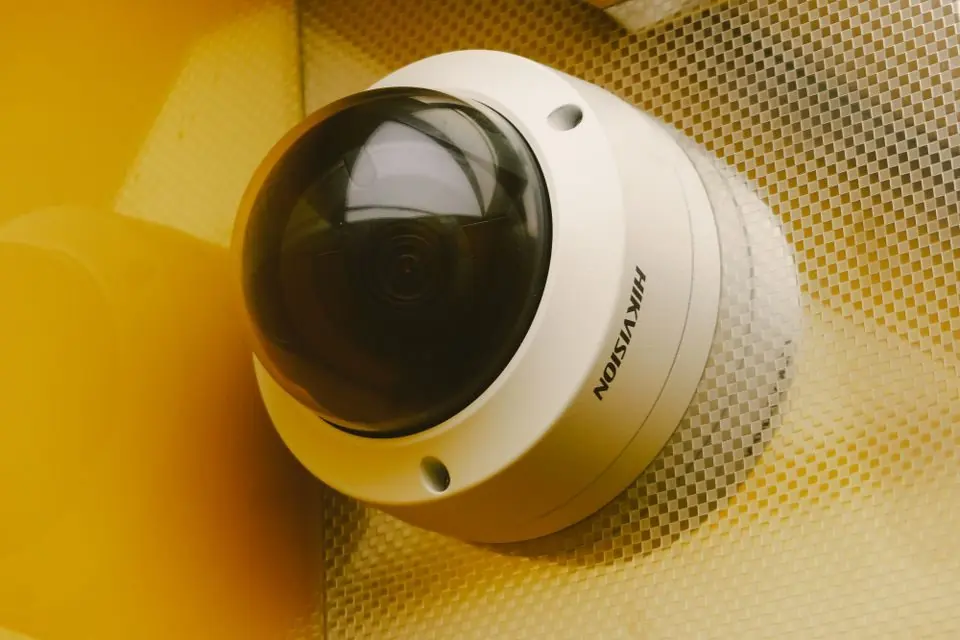
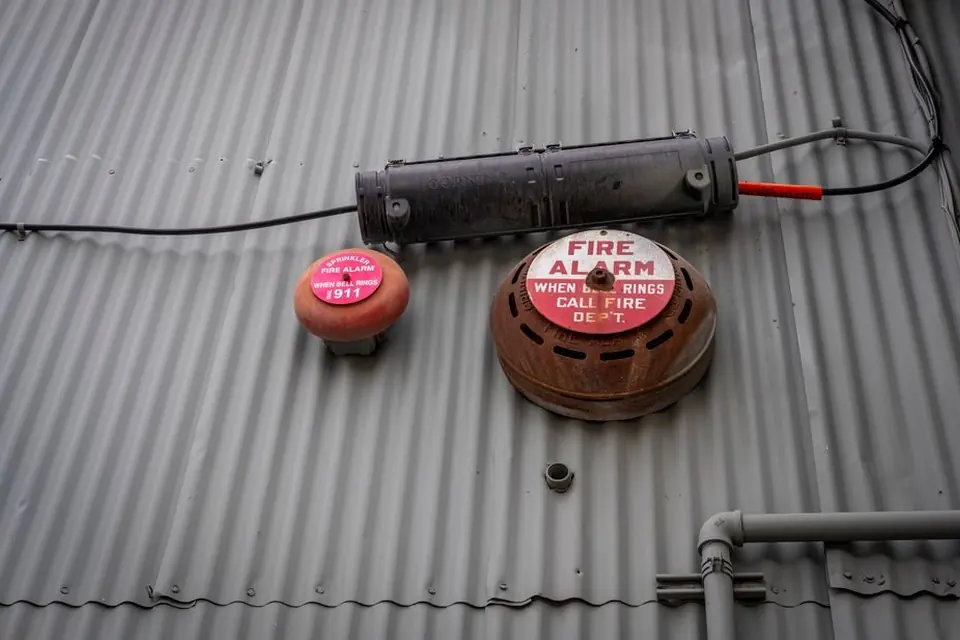

Answers to these questions help set the scope before product selection and reduce surprises during installation and handoff.
Have a building in Colorado? 1st Key stands ready and able to help. Tell us the location and what needs attention; we will confirm service availability and scope.
We can start with the current environment, its main risks and the decisions that need to be made.
Assign a facility owner to this question. Record the current workflow, desired change, dependencies and the evidence needed for acceptance.
Assign a facility owner to this question. Record the current workflow, desired change, dependencies and the evidence needed for acceptance.
Assign a facility owner to this question. Record the current workflow, desired change, dependencies and the evidence needed for acceptance.
Prepare your facility brief ↗ Understand the project process ↗